

Bypass Regional Blocks with Hola Free VPN
Overview
Hola Free VPN is a desktop application designed to help users access region-restricted content by routing internet traffic through a peer-to-peer network. The software enables users to bypass government-imposed blocks, ISP restrictions, and content filters that limit access to websites, streaming platforms, and social media. It is particularly useful for individuals seeking to view regional content on services like Netflix, Amazon Prime Video, and Disney+, or to access platforms such as Reddit and YouTube that may be blocked in certain areas.
The tool is marketed as a privacy-enhancing solution, offering encrypted connections and a no-log policy to protect user data. It supports multiple operating systems, including Windows, Mac, Linux, Android, and iOS, making it accessible across a wide range of devices. While the app is free to use, a paid version is available with improved performance and dedicated servers.
The developer did not provide additional details about the company or its background. Real-world usage scenarios include remote workers accessing corporate resources, travelers connecting to home country services, and students accessing educational materials restricted in their region. The app’s interface is straightforward, allowing users to quickly select a country or let the system choose the optimal connection.
Key Features & Capabilities
- Peer-to-Peer Network Routing – Uses other users’ devices to route traffic, enabling access to blocked content without relying on centralized servers.
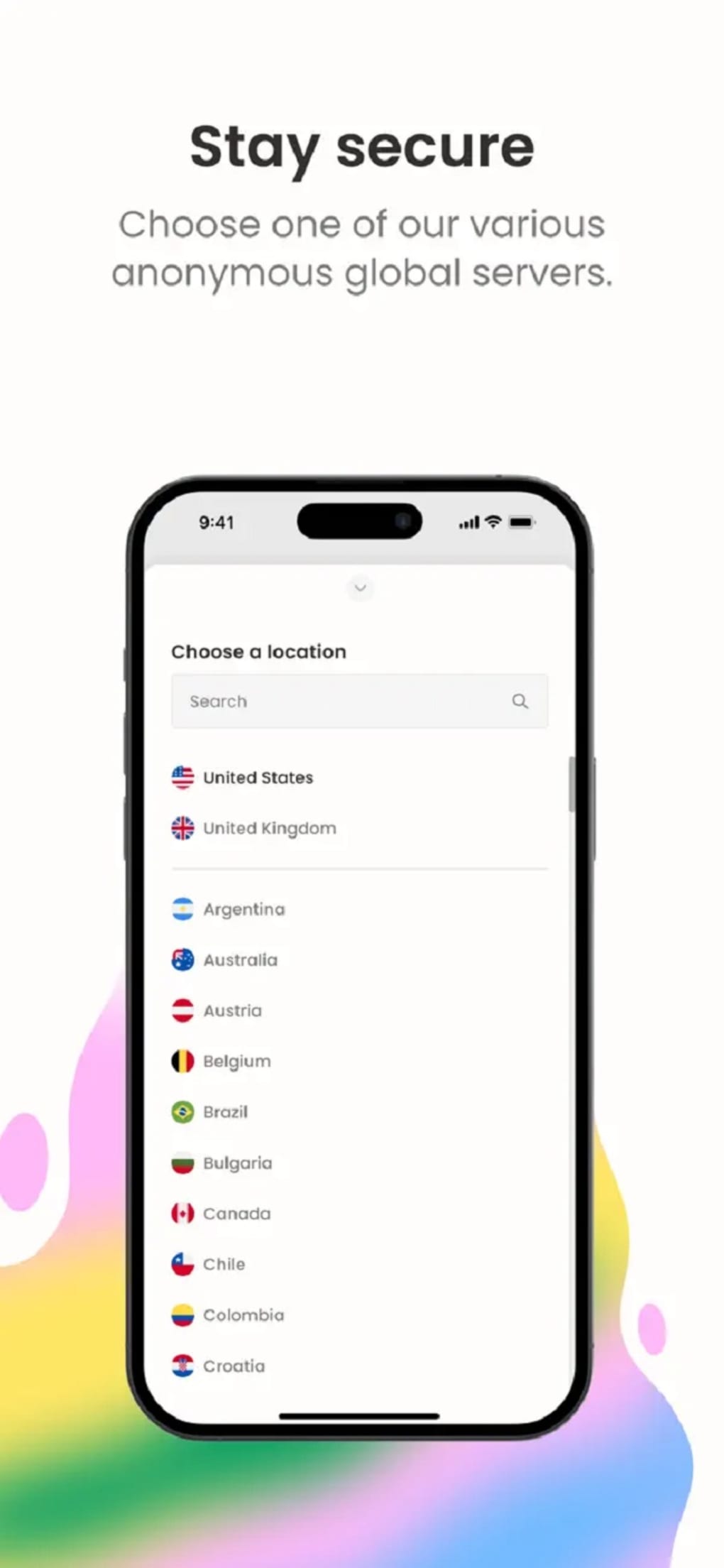
- Global Server Selection – Allows users to manually choose a country to appear as if they are browsing from that location.
- Automatic Connection Optimization – Selects the best available route based on network conditions to improve connection stability.
- Browser Extension Integration – Offers compatibility with major browsers, allowing selective traffic routing for specific websites.
- Encryption & No-Log Policy – Encrypts internet traffic and does not store user activity logs, enhancing online privacy.
- Multi-Platform Support – Available on Windows, Mac, Linux, Android, and iOS for consistent access across devices.
These features enable users to unblock websites, stream region-specific content, and protect their data on public Wi-Fi networks. For example, a user in a country with restricted access to international news sites can connect through a server in a different region to view the content securely. Similarly, someone watching Netflix abroad can switch to a U.S.-based connection to access the full library.
The app’s browser extension allows for granular control, routing only specific traffic while leaving other activities unaffected. This flexibility supports both casual browsing and more targeted use cases. The no-log policy adds a layer of anonymity, which is beneficial for users concerned about surveillance or data tracking.
However, the peer-to-peer model may introduce variability in performance, especially during high-traffic periods.
User Interface, Workflow & Performance
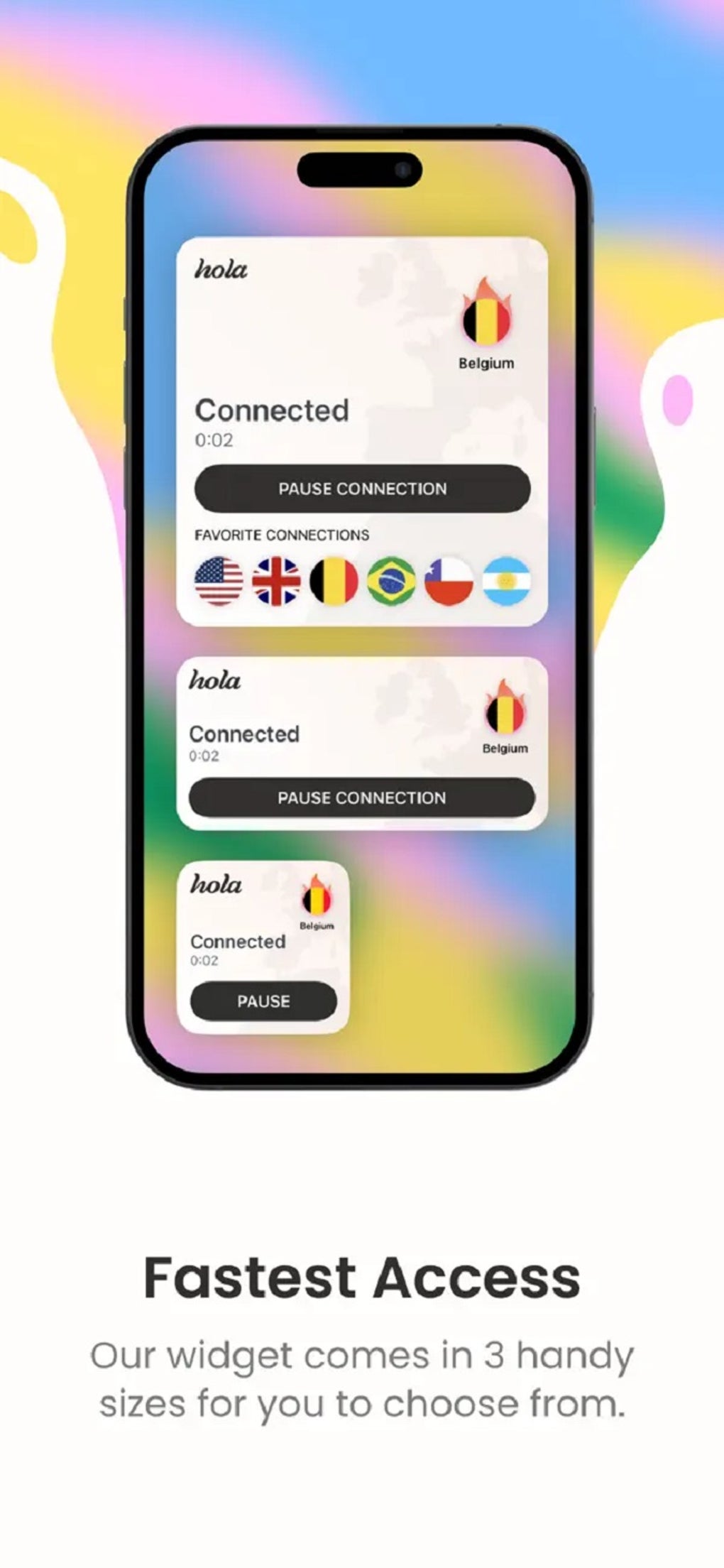
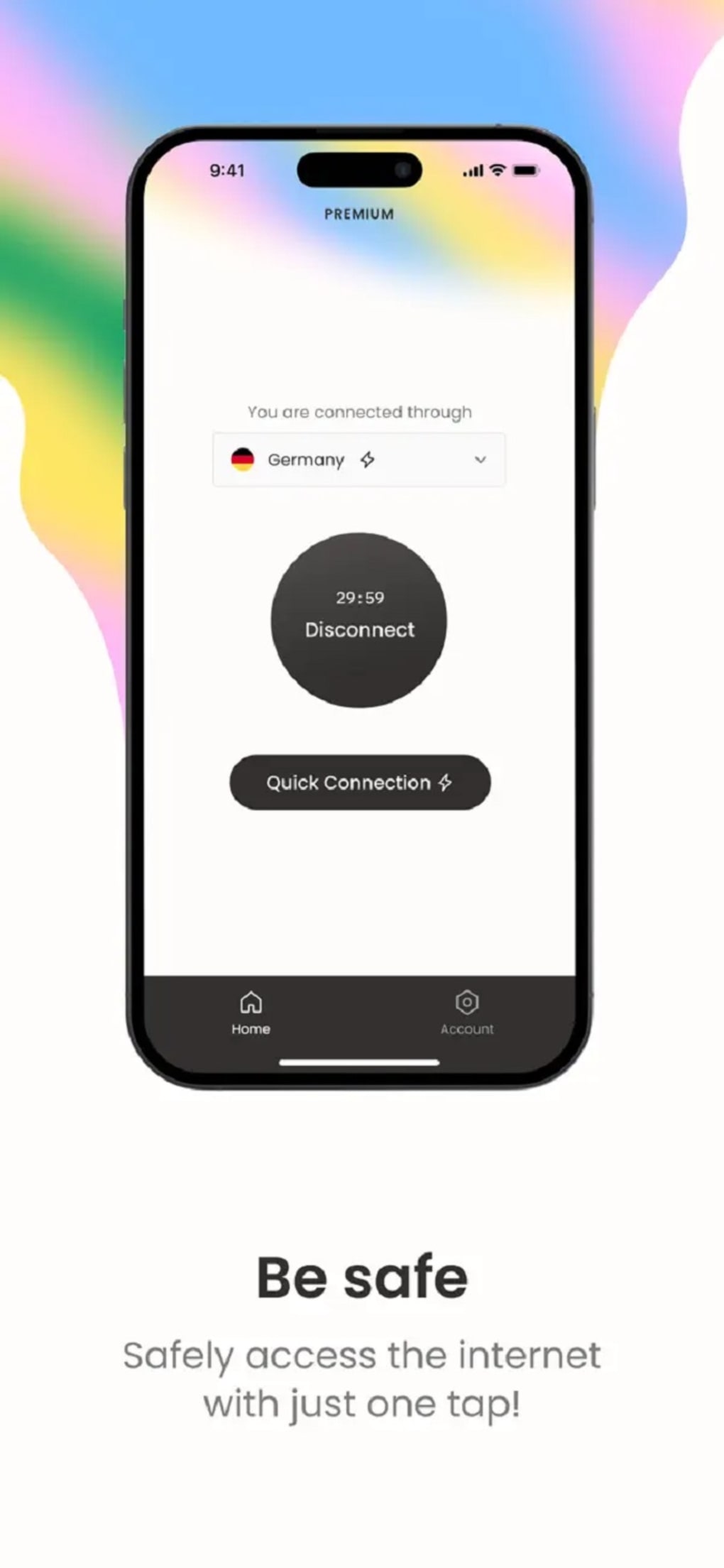
The user interface of Hola Free VPN is clean and minimalistic, focusing on functionality over visual design. Navigation is straightforward, with a main dashboard displaying connection status, country selection, and a simple toggle to activate or deactivate the service. The workflow is efficient, requiring minimal steps to establish a connection—users can either select a country manually or rely on the app’s automatic routing feature.
The app does not include graphics or audio elements, maintaining a lightweight experience. Workflow efficiency is enhanced by the ability to switch locations quickly and the availability of a browser extension for targeted use. Performance observations are based on general software behavior patterns.
The developer did not specify resource usage details, so exact CPU or RAM consumption is unknown. However, the app’s lightweight size of 25.4 MB suggests it is designed to run efficiently on standard systems. Stability is generally reliable, though users may experience connection drops or delays during peak usage times.
The peer-to-peer nature of the network can contribute to inconsistent speeds, which may affect streaming quality or real-time interactions. The app does not provide real-time bandwidth monitoring or advanced diagnostics, limiting user insight into network performance.
Compatibility & System Requirements
Hola Free VPN is compatible with Windows, Mac, Linux, Android, and iOS operating systems. The software version is 2.10.1, and the installation size is 25.4 MB. Platform compatibility information is limited to the listed operating systems, with no further details on specific versions or hardware requirements.
The developer did not specify minimum CPU, RAM, or storage thresholds. Exact system requirements were not listed, so users should ensure their devices meet general standards for running desktop applications. Compatibility with older or less common OS versions is not confirmed.
The app is designed to function across a broad range of devices, supporting both desktop and mobile platforms. Users can install the software on multiple devices and maintain consistent access to global content. However, the lack of detailed technical specifications may pose challenges for users with specialized or legacy systems.
Pros and Cons
Pros
- Free to use with no upfront cost
- Supports multiple platforms including desktop and mobile
- Enables access to region-restricted content on major streaming services
- Offers encryption and a no-log policy for enhanced privacy
- Simple, intuitive interface with minimal learning curve
- Automatic connection optimization for better routing
Cons
- Peer-to-peer network may lead to inconsistent connection speeds
- Performance can degrade during peak usage times
- Security concerns have been raised due to reliance on user devices for routing
- Some websites may block or restrict access when using the service
- Limited transparency regarding system resource usage
FAQ Section
Is Hola Free VPN safe to use?
The app uses encryption and claims to follow a no-log policy, which helps protect user privacy. However, the peer-to-peer network model has raised concerns about potential data exposure, as traffic passes through other users’ devices. Users should exercise caution when sharing sensitive information.
Can I use Hola Free VPN on multiple devices?
Yes, the software is available on Windows, Mac, Linux, Android, and iOS, allowing users to install it across multiple devices and maintain access to global content.
Does Hola Free VPN work with streaming services like Netflix?
It can access region-specific content on platforms like Netflix, Amazon Prime Video, and Disney+, though some services may detect and block the connection due to the use of a peer-to-peer network.
Is there a paid version of Hola Free VPN?
Yes, a paid version is available that offers faster speeds and dedicated servers for improved performance and reliability, especially for streaming and high-demand tasks.
Does Hola Free VPN require an internet connection to function?
Yes, an active internet connection is required to establish a connection through the peer-to-peer network and access blocked content.
Final Thoughts
Hola Free VPN presents a practical solution for users seeking to bypass regional restrictions and access blocked content across multiple platforms. Its peer-to-peer network model enables broad geographic access at no cost, supported by encryption and a no-log policy. While the interface is user-friendly and the workflow efficient, performance can vary due to network congestion and the reliance on other users’ devices.
The app is best suited for casual use cases such as accessing social media, streaming regional content, or browsing restricted websites. However, users requiring consistent speed, enhanced security, or guaranteed compatibility with all services may find better alternatives. For those looking for a free, multi-platform tool to unlock global content, Hola Free VPN remains a viable option.
Download Hola VPN now.







